
Launch the Notebook Lab Environment
Notebook Lab is MSD-LIVE's cloud-based environment for creating and managing example notebooks for your dataset. You can write, test, and share code without installing anything locally, and your dataset files are automatically available.
Before you start:
- Your dataset files must already be uploaded to MSD-LIVE
- File exploration must be enabled for your dataset — see Enable Data Exploration
- Your notebook repository must be linked to the dataset — see Set Up a Notebook Repository
- You should have basic familiarity with Jupyter notebooks
What Notebook Lab Provides
- No local setup required — A fully configured Jupyter server launches in the cloud automatically
- Pre-mounted dataset files — Your dataset files are immediately accessible in the notebook environment
- Built-in GitHub integration — Create pull requests directly from the notebook environment to save and version your work
- Instant productivity — Start writing and executing code as soon as the environment loads
How to Launch Notebook Lab
- Log in to the MSD-LIVE Data Repository
- Navigate to your dataset (draft or published) with File Exploration enabled
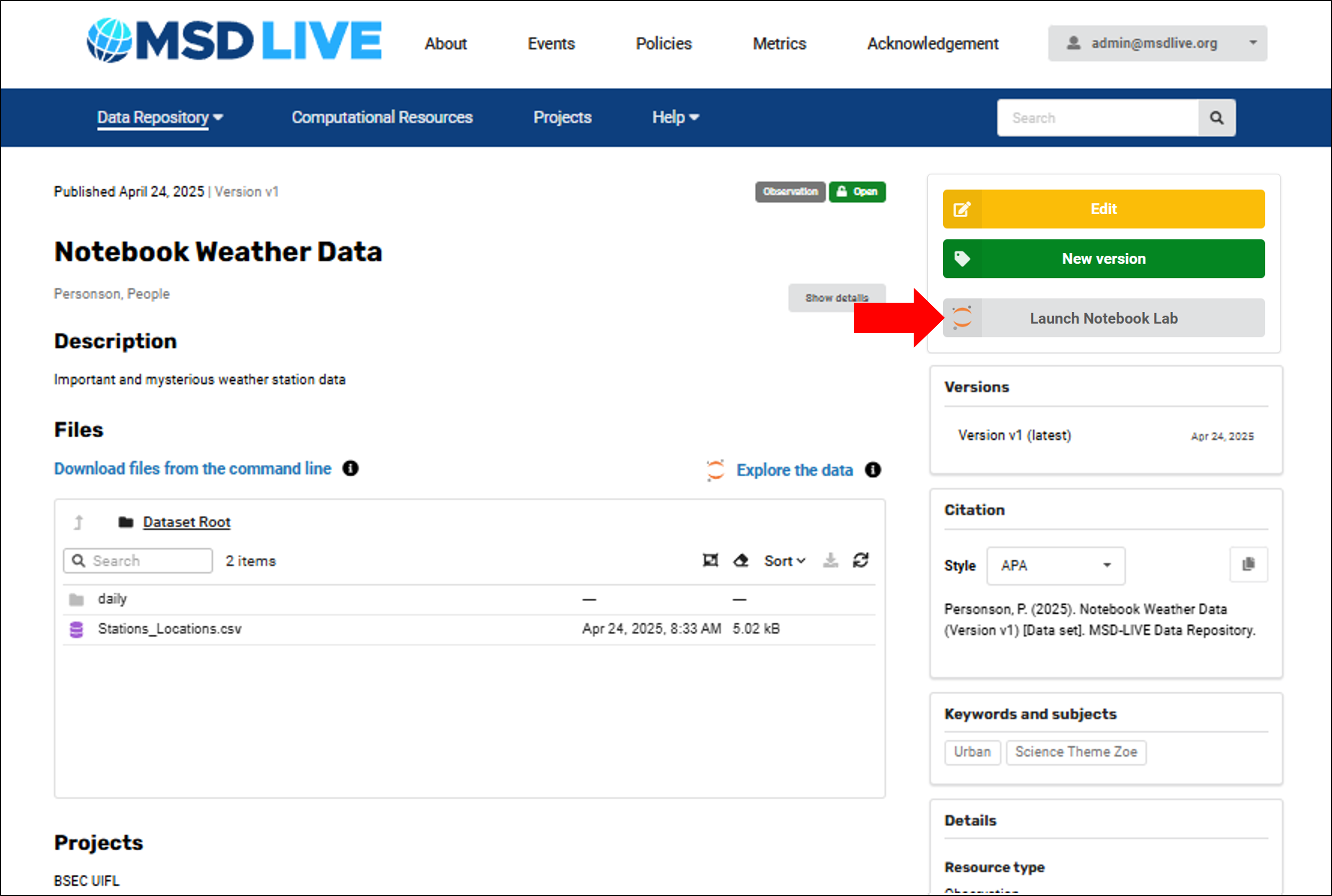
- Click Launch Notebook Lab
- Log in with your MSD-LIVE credentials
Notebook Lab will open in a new window with your dataset files already mounted and ready to use.
You can launch Notebook Lab from a published or draft dataset landing page.
Warning
Notebook Lab sessions are limited to 3 hours. Be sure to save your work frequently.
See Create Example Notebooks for detailed instructions on notebook development and the pull request workflow.
Video Walkthrough
Watch this video for a quick overview of the full workflow: